
Zoom MCP Server


Now you can date a Zoom meeting with AI's help
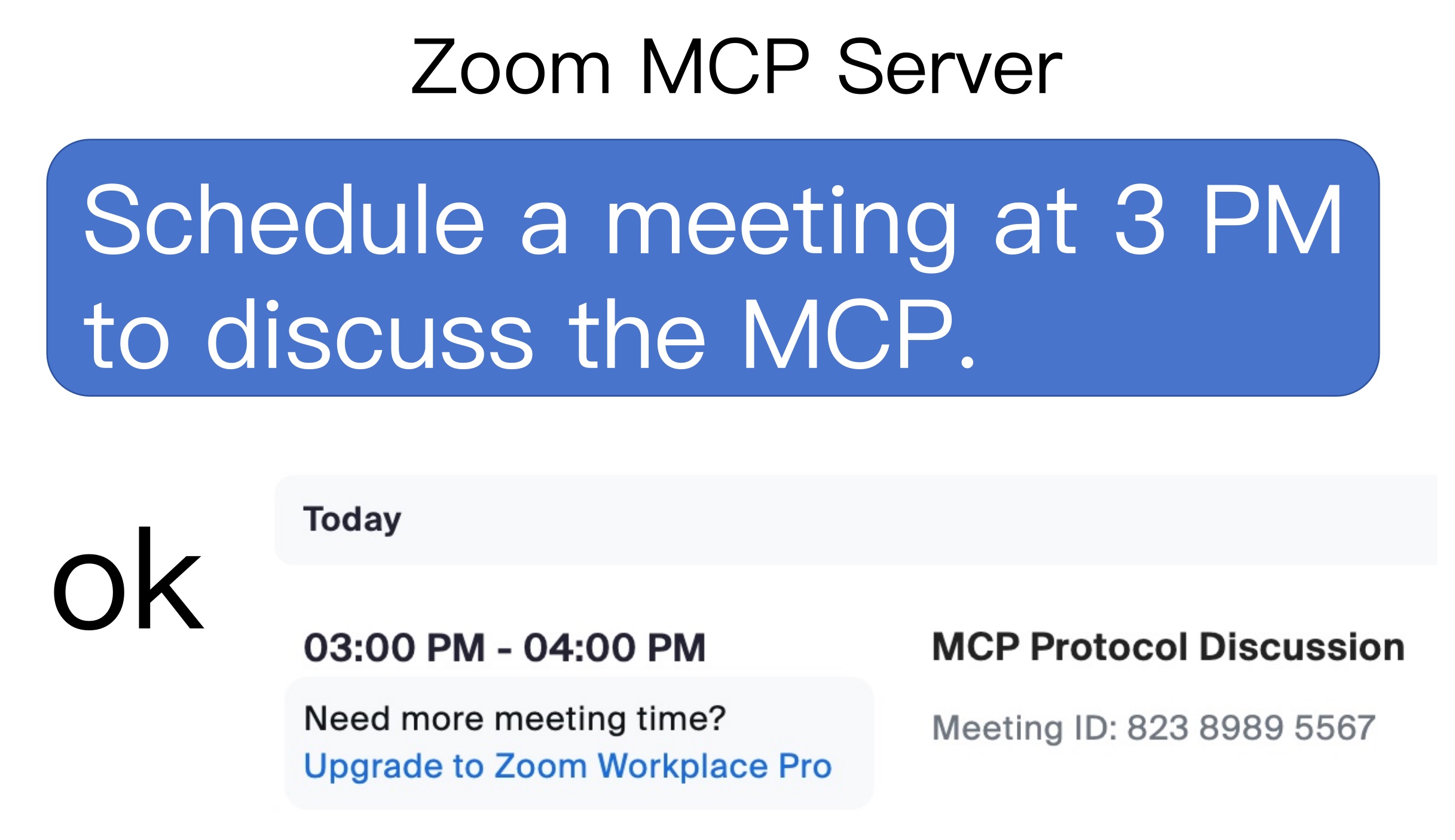

Usage
1. list meetings
list my meetingslist my upcoming meetings
2. create a meeting
Schedule a meeting at today 3 pm with a introduce mcp topic
3. delete a meeting
delete the latest meetingdelete the 86226580854 meeting
4. get a meeting detail
Retrieve the latest meeting's detailsRetrieve 86226580854 meeting's details
Usage with VS Code

2 Steps to play with zoom-mcp-server
- Get Zoom Client ID, Zoom Client Secret and Account ID
- Config MCP server
1. Get Zoom Client ID, Zoom Client Secret and Account ID
- vist Zoom Marketplace
- Build App and choose Server to Server OAuth App
- Add Scope > Meeting > Select All Meeting Permissions
- Active your app then you can get Account ID, Client ID, Client Secret in App Credentials page
2. Config MCP Server
{
  "mcpServers": {
    "zoom-mcp-server": {
      "command": "npx",
      "args": ["-y", "@yitianyigexiangfa/zoom-mcp-server@latest"],
      "env": {
        "ZOOM_ACCOUNT_ID": "${ZOOM_ACCOUNT_ID}",
        "ZOOM_CLIENT_ID": "${ZOOM_CLIENT_ID}",
        "ZOOM_CLIENT_SECRET": "${ZOOM_CLIENT_SECRET}"
      }
    }
  }
}